Best Desk Lamps for Productivity
& Video Calls (2026)

Lighting is the most underrated home office upgrade — and the cheapest one with the biggest ROI. A good desk lamp reduces eye strain, makes you look dramatically better on video calls, and reduces fatigue by late afternoon. We tested 12 lamps; here are the 7 worth buying.
Affiliate disclosure: Links in this article are affiliate links. If you click and buy, we earn a small commission at no extra cost to you. This never influences our picks — brands cannot pay to be featured. Read our full policy.
Two Different Problems, Two Different Lamps
There are two distinct reasons to upgrade your lighting, and the best lamp for each is different:
- For video calls: You need a light source facing you (key light) that illuminates your face evenly. The Elgato Key Light Air is purpose-built for this. Ring lights work too, but key lights look more natural and professional.
- For productivity and eye strain: You need a lamp that covers a wide area, eliminates harsh shadows, has adjustable color temperature (warm for evenings, cool for daytime focus), and ideally uses an asymmetric lens to avoid glare on your monitor. The BenQ e-Reading Lamp is the best at this.
1. Elgato Key Light Air

The Elgato Key Light Air is the most popular video call lighting upgrade for a reason: it's purpose-designed to make your face look great on camera. The 2900K–7000K color temperature range means you can dial in exactly the warmth or coolness that looks best in your specific room. CRI of 92+ means colors render accurately — your skin tone looks natural rather than washed out or orange.
The app control is the real differentiator. You can adjust brightness and color temperature without touching the lamp — great when you're mid-call and want to reduce brightness as the sun goes down outside. If you use a Stream Deck, it integrates directly.
✓ Pros
- Dramatically improves video call appearance
- App control for mid-call adjustments
- CRI 92+ for accurate color rendering
- Wide color temperature range
- Compact desk clamp — doesn't take up space
✗ Cons
- Not ideal as a primary reading/work lamp
- Requires Wi-Fi for app features
- Pricey for just a lamp
2. BenQ e-Reading LED Desk Lamp

The BenQ e-Reading lamp is specifically designed for long hours of screen work. The asymmetric lens projects light wide and flat across your desk — illuminating your workspace without hitting your monitor directly (which causes glare and eye strain). The auto-dimming feature adjusts brightness based on ambient light automatically, which sounds like a gimmick but genuinely reduces fatigue in sessions that span different lighting conditions.
At CRI 95+, it's the most color-accurate lamp we tested — important for design work, photo editing, or any work where you need to judge colors accurately. The flicker-free driver eliminates the imperceptible flicker that causes headaches over long sessions.
✓ Pros
- Asymmetric lens eliminates monitor glare
- CRI 95+ for color-accurate work
- Flicker-free — reduces headaches
- Auto-dimming adapts to room light
- 1500 lumens covers a large desk area
✗ Cons
- Not ideal as a video call key light (positioned wrong)
- $109 is expensive for a desk lamp
- Auto-dimming can be too aggressive
3. TaoTronics TT-DL16
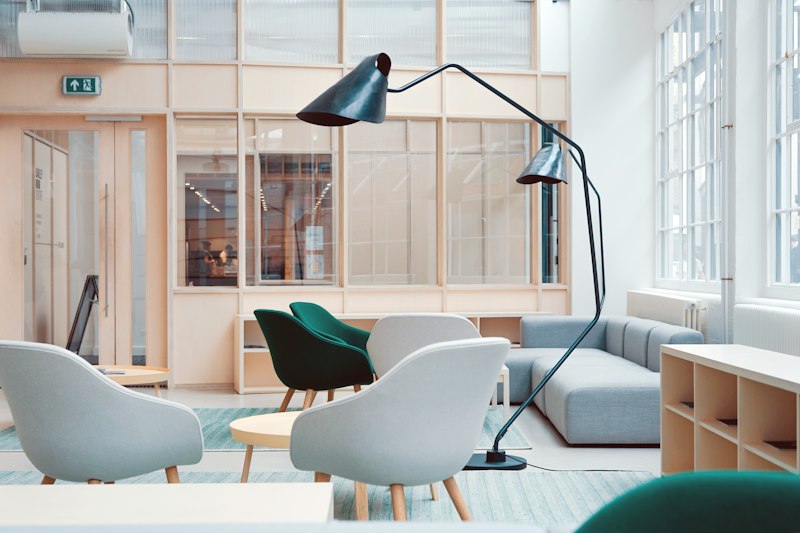
At $29, the TaoTronics TT-DL16 is the best budget desk lamp available. Five brightness levels, three color temperatures (warm/natural/cool), a USB charging port on the base, and flicker-free output. It's not in the same league as the BenQ, but it's a real improvement over working in ambient light only, and the price makes it a no-brainer starting upgrade.
✓ Pros
- Exceptional value at $29
- USB charging port on base
- Flicker-free output
- Remembers last brightness/color setting
✗ Cons
- Only 3 color temperature modes (not fully adjustable)
- Not bright enough for large desks
- Build quality reflects the price
4. Lumiy Lightblade 1500
The Lumiy Lightblade 1500 sits in an interesting spot in the market: it delivers 1500 lumens and a CRI of 95+ at $100, undercutting the BenQ e-Reading lamp by $9 while matching it on raw specs. The slim form factor fits neatly on smaller desks where a larger monitor-clamp lamp would feel overwhelming. The continuous color temperature adjustment (2700K to 6500K) covers everything from warm evening wind-down light to crisp cool daylight mode for morning focus sessions.
The touch controls on the base are intuitive, and a companion app lets you set schedules and save presets. The wide beam coverage illuminates a 36-inch desk area without harsh shadows, which reduces eye strain noticeably during long writing sessions. It won't replace a dedicated video call key light, but as a primary productivity lamp at this price, it punches well above its weight. If the BenQ is out of your budget, this is the next best option.
✓ Pros
- 1500 lumens covers a large desk area
- CRI 95+ for color-accurate work
- Wide 2700K to 6500K temperature range
- Flicker-free, low eye strain
- Slim profile fits smaller desks
✗ Cons
- App is functional but not as polished as Elgato
- Not ideal as a primary video call key light
- Slightly less build quality than BenQ at similar price
What Color Temperature Should You Use?
Color temperature is measured in Kelvin. Lower = warmer (more orange/yellow). Higher = cooler (more blue/white).
- 2700K–3000K: Warm white. Relaxing. Good for evenings, reading, winding down.
- 4000K–4500K: Neutral white. The sweet spot for daytime focus work.
- 5500K–6500K: Cool daylight. Stimulating. Good for early mornings or when you need to focus hard, but fatiguing over long periods.
Our recommendation: use 4000–4500K for most of the workday, drop to 3000K an hour before your workday ends to signal to your body that the day is winding down.